


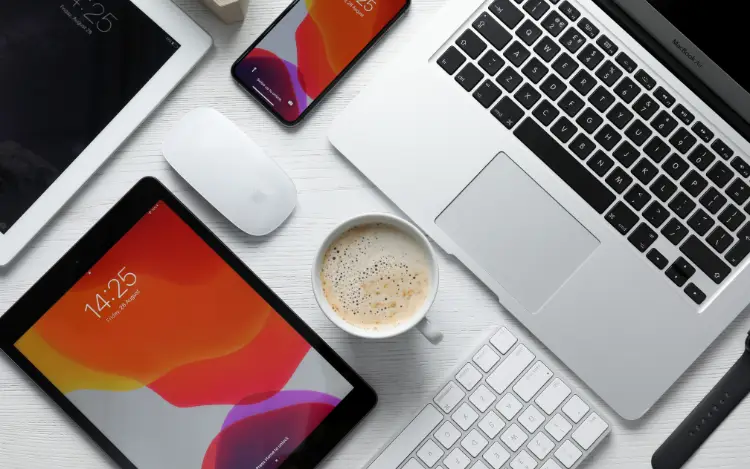
Apple Pay can be used for eligible online casino deposits on supported Apple devices, but the payment experience can differ between an iPhone, iPad and Mac.
The biggest differences involve how you access the casino, how Apple Pay is presented during checkout, and how you authenticate the payment. The underlying payment process remains broadly similar: you select Apple Pay, choose an eligible card, and confirm the transaction using the authentication method available on your device.
For users deciding which Apple device to use, iPhone is generally the most straightforward option for mobile casino deposits, while iPad offers a larger screen and Mac can be convenient when playing through a desktop browser that supports Apple Pay.
Apple Pay Casino Deposits on iPhone
The iPhone is one of the most convenient devices for making an Apple Pay casino deposit because Apple Pay is integrated directly into the device.
After logging into a compatible casino website and selecting Apple Pay as the deposit method, the payment interface can be completed on the iPhone without manually entering the card details into the casino's payment form.
Why iPhone Can Be Convenient
The iPhone combines the casino website, Apple Wallet, and payment authentication on one device.
This means there is no need to move between a computer and another device simply to approve the transaction. Authentication can also be relatively quick when biometric security is available.
However, convenience does not mean that a deposit will automatically be accepted. The card issuer, payment provider, and casino can still apply their own restrictions.
Apple Pay Casino Deposits on iPad
Apple Pay Casino Deposits on iPad
The iPad provides a similar Apple Pay experience while offering a larger display than an iPhone.
This can make casino cashier pages easier to view, particularly when comparing deposit amounts, payment information and account details.
iPad vs iPhone for Apple Pay Casino Payments
The core payment process is broadly the same, so the choice largely comes down to how you prefer to use the device.
iPhone advantages:
- Easy to use on the go
- Apple Pay and authentication are integrated
- Compact and convenient
iPad advantages:
- Larger screen
- Easier viewing of cashier pages
- More comfortable for longer browsing sessions
Neither device inherently provides better payment approval rates. A declined payment is generally related to the card, merchant, payment provider or other transaction conditions rather than the size or type of Apple device.
Apple Pay Casino Deposits on Mac
Mac provides a different experience because you are using a desktop computer rather than a touchscreen mobile device.
When a casino website supports Apple Pay through a compatible browser and payment setup, Apple Pay can be presented during checkout. The Mac then provides the appropriate authentication process for approving the payment.
Why Use a Mac for an Apple Pay Casino Deposit?
A Mac can be useful for users who prefer a desktop environment.
A larger screen can make it easier to navigate account menus, read payment terms and review transaction details before confirming a deposit.
The main consideration is compatibility. Apple Pay availability on a particular website can depend on the browser, Mac model, casino and payment setup.
Does Authentication Differ Between iPhone, iPad and Mac?
Does Authentication Differ Between iPhone, iPad and Mac
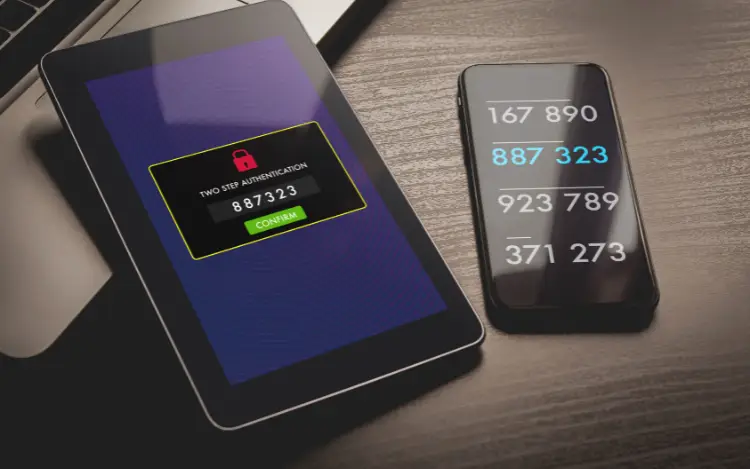
Yes. Authentication depends on the Apple device and its available security features.
On compatible devices, authentication can involve Face ID, Touch ID or a passcode. Macs with Touch ID can use the fingerprint sensor, while other setups may involve another approved Apple device or authentication method.
The important point is that Apple Pay requires an authentication step before the payment can be authorised. The exact method is determined by the device and Apple's security requirements.
Which Device Is Best for Apple Pay Casino Deposits?
There is no single best device for everyone.
Choose an iPhone if: you want a quick and portable way to access your casino account and make payments.
Choose an iPad if: you prefer a larger touchscreen while retaining a mobile-style experience.
Choose a Mac if: you prefer using a desktop browser and want a larger screen for navigating the casino website.
The availability of Apple Pay can also vary by casino, country, payment card and technical setup. Always confirm that Apple Pay is offered before attempting to deposit.
Final Thoughts
Apple Pay casino deposits can work across iPhone, iPad and Mac, but the experience varies according to the device, browser, authentication method, card and casino.
The iPhone offers portability, the iPad provides a larger touchscreen experience, and the Mac is suited to users who prefer desktop browsing. None is automatically better for payment approval.
The most important factor is whether the casino and your payment setup support Apple Pay. Once that is confirmed, choose the device that provides the most convenient and comfortable way for you to manage your account and payments responsibly.
Frequently Asked Questions
Can I make an Apple Pay casino deposit on an iPhone?
Yes, where the casino supports Apple Pay and your card and device are eligible. You can generally select Apple Pay at the casino cashier and authenticate the payment on your iPhone.
Can I use Apple Pay to deposit at a casino on an iPad?
Yes, supported iPads can be used for Apple Pay payments where the casino and payment setup support the service.
Can I make Apple Pay casino deposits on a Mac?
Yes, Apple Pay can be available on compatible Mac setups when supported by the casino and browser. The authentication process depends on the Mac and its security configuration.
Is iPhone better than iPad for Apple Pay casino deposits?
Not necessarily. An iPhone is more portable, while an iPad offers a larger screen. Both can provide a similar Apple Pay payment process when supported.