


Best Google Pay Casinos in the UK | September 2026
Google Pay casinos let UK players deposit using an eligible card saved to Google Wallet. Payments are usually quick to approve, although availability, limits, withdrawals, and bonus eligibility can vary by operator. Credit cards cannot be used for UK gambling deposits, including through Google Pay, so players must use an eligible non-credit payment source. Below, we explain how Google Pay deposits and withdrawals work, along with the main advantages and limitations.
Genting Casino




Get 100% up to £150
+ 50 Spins on
Big Bass Bonanza


- Payout Time: Instant
- Bonus Wagering: 10x
Prime Casino

Get 100% Bonus
up to £25
+ 50 Free Spins on Big Bass Bonanza

- Payout Time: Instant
- Bonus Wagering: 10x
Slingo Casino

New Player Offer
£55 Deposit Match
+ 55 Spins

- Payout Time: Instant
- Bonus Wagering: 10x
Spin Genie

Get £25 casino bonus
+ 75 Free Spins
- Payout Time: Instant
- Bonus Wagering: 10x
Megaways Casino

Get 100%
up to £120
+ 50 Spins
- Payout Time: Instant
- Bonus Wagering: 10x
Mega Casino

Get a 100% Bonus
Up to £25 + 50 Free Spins
on Big Bass Bonanza
- Payout Time: Instant
- Bonus Wagering: 10x
Ice36 Casino

Get a 100% Matched Bonus
Up to £25
- Payout Time: Instant
- Bonus Wagering: 10x
Luna Casino

Get 100% up to £50
+ 50 Free Spins on Book of Dead

- Payout Time: 1-5 Days
- Bonus Wagering: 10x
Lord Ping

100% up to £25 First Deposit
Match Bonus
- Payout Time: Instant
- Bonus Wagering: 10x
PlayOJO

Get 50 Wager-Free spins
- Payout Time: 0-7 Days
- Bonus Wagering: N/A
Prime Slots

Get 123 Spins
New Customer Offer
- Payout Time: Instant
- Bonus Wagering: 10x
Zingo Bingo

Get 360 free bingo tickets
- Payout Time: Instant
- Bonus Wagering: N/A
PlayKasino

Get 200 Free Spins
on Book of Dead


- Payout Time: 24 Hours
- Bonus Wagering: 10x
RedKings Casino

100 Bonus Spins
Welcome Offer
- Payout Time: 0-7 Days
- Bonus Wagering: 10x
Slots Magic

100% up to £25
+ 50 Spins
- Payout Time: 0-7 Days
- Bonus Wagering: 10x
About Google Pay
Google Pay is a digital payment service that allows users to complete purchases using payment methods connected to their Google Account or Google Wallet. In the UK, users can add eligible payment cards to Google Wallet and use them at participating online merchants and apps. The exact options available depend on the card issuer and the merchant.
At Google Pay casinos, the service usually acts as a faster checkout method. The casino does not require you to type your full card details for every deposit because the payment is completed using the selected card saved in your wallet.
Google Pay is not accepted by every UK casino. Even when an operator supports it, availability may depend on the device, browser, account, or card being used. You should always check the casino cashier and payment terms before registering.
Another important distinction is that Google Pay and Google Wallet are not necessarily the final destination for casino withdrawals. Deposits may be approved through Google Pay, while withdrawals are returned to the underlying card or processed through another verified method.
How to Choose the Best Google Pay Casinos
The best Google Pay casinos should provide more than a fast deposit button. Before registering, compare the following:
- UK Gambling Commission licensing
- Google Pay availability for your device
- Eligible linked debit cards
- Minimum and maximum deposits
- Deposit or withdrawal fees
- Withdrawal methods and processing times
- Bonus payment-method exclusions
- Account verification requirements
- Responsible gambling tools
- Game selection and mobile usability
Always confirm that Google Pay is currently listed in the cashier. Payment options can change, and availability may differ between new and existing players.
Google Pay Casino Payments at a Glance
Google Pay gives UK casino players a quick way to make deposits using an eligible payment method saved to their Google Account or Google Wallet. Rather than manually entering card details each time, players can select Google Pay at a supported casino checkout and approve the transaction using their saved payment method.
Google Pay itself does not work like a traditional e-wallet balance. Instead, it provides a checkout layer for eligible cards and other supported payment methods. Google confirms that users can make online and in-app payments when a merchant displays Google Pay as a checkout option.
| Quick fact | Details |
| Payment type | Digital wallet / mobile payment |
| Typical deposit speed | Usually immediate after approval |
| Separate wallet balance required | No |
| Main funding source | Eligible payment method saved to Google Wallet |
| Credit card gambling deposits | Not permitted in Great Britain |
| Withdrawal support | Depends on the casino and underlying payment method |
| Casino transaction fees | Usually free, but operator terms vary |
| Main benefit | Fast checkout without repeatedly entering card details |
| Main limitation | Often more useful for deposits than withdrawals |
| Best suited for | Android and Google Wallet users |
Although Google Wallet supports some credit cards for ordinary purchases in the UK, those cards cannot be used to fund gambling. The Gambling Commission specifically confirms that the credit card prohibition also covers smartphone payments such as Google Pay.
How to Set Up Google Pay for Casino Payments
You do not need to open a separate Google Pay casino account. Instead, you add an eligible payment method to Google Wallet or your Google Account.
Here is how to get started:
- Open Google Wallet: Access Google Wallet on your compatible Android device.
- Add a payment method: Select the option to add a debit or other supported card.
- Follow the verification process: Your bank or card issuer may ask you to verify the card.
- Check that the card is supported: Google maintains a UK list of banks and payment methods that can be added to Google Wallet.
- Choose an eligible gambling funding source: Do not use a credit card for casino deposits. UK gambling rules prohibit credit-funded gambling payments, including those made through Google Pay.
- Register with a supported casino: Create your account and complete any required verification.
- Open the casino cashier: Select Google Pay if it appears among the available deposit methods.
- Choose your eligible payment method: Select the appropriate card saved to Google Wallet.
- Approve the transaction: Complete any authentication requested by your device or bank.
Google confirms that a card added to Google Wallet can be used on websites and apps that provide Google Pay as a checkout option.
How to Make a Casino Deposit Using Google Pay
Making a deposit at Google Pay casinos UK players can access is normally straightforward, provided the casino and your linked card support the method.
Here is the typical process:

Open the casino cashier: Log in and go to the deposit or banking section.

Select Google Pay: Choose Google Pay from the available payment methods.

Enter your deposit amount: Check the casino’s minimum and maximum limits before continuing.

Choose an eligible card: Select the supported debit card connected to your Google Wallet.

Authorise the payment: Confirm the transaction through the security method requested by your device, bank, or card issuer.

Check your casino balance: Approved deposits are generally credited quickly, although processing times can vary.
Can You Use a Credit Card Through Google Pay at UK Casinos?
No. UK-licensed online gambling operators cannot accept credit card payments. The restriction also covers payments made through e-wallets, fintech services, or other intermediaries where the underlying source is a credit card.
This means adding a credit card to Google Wallet does not make it eligible for gambling deposits. At casinos that accept Google Pay, you will normally need to select a supported debit card or another permissible payment source.
Operators are responsible for ensuring that payments comply with Gambling Commission requirements. The Commission also requires remote gambling businesses to use qualifying payment service providers when accepting customer payments.
How to Withdraw from Google Pay Casinos
Google Pay is primarily used to approve payments rather than hold a separate casino balance. Because of this, it may not appear as a distinct withdrawal option.
To request a withdrawal:
Open the casino cashier and select Withdrawal.
Review the methods available for your account.
Select the underlying debit card if it is eligible for withdrawals.
If the card is unavailable, choose another verified option offered by the casino, such as bank transfer.
Enter the amount and submit the request.
Complete any identity or payment verification requested by the operator.
The withdrawal must then pass the casino’s internal checks before it is released. Processing times depend on the operator, payment route, account verification status, and bank.
A casino should clearly explain any withdrawal restrictions before you deposit. UK Gambling Commission guidance also places limits on unfair restrictions affecting the withdrawal of deposits and associated winnings.
What Could Delay or Affect a Google Pay Casino Deposit?
Google Pay deposits are generally quick, but several factors can cause a transaction to be declined or delayed.
Your card is not supported by Google Wallet
Google Wallet only works with supported payment methods from participating banks and card issuers. Even if your bank supports Google Wallet, individual card types may have different eligibility rules.
You are trying to use a credit card
This is particularly important for UK casino players. Credit cards cannot be used for gambling in Great Britain, including when the payment is routed through Google Pay or another digital wallet.
If several cards are stored in Google Wallet, make sure the card selected for the casino transaction is an eligible non-credit payment method.
There are insufficient funds
If the debit or other eligible payment method connected to Google Pay does not have enough available funds, the transaction may be declined.
Your bank blocks the transaction
The issuing bank still has a role in approving the underlying payment. Security controls, account limits, gambling blocks or unusual transaction activity can cause a payment to be rejected.
Casino deposit limits
The casino may have minimum and maximum deposit limits. Your selected Google Pay transaction must fall within these limits, while your bank may apply separate restrictions.
Payment authentication is required
Your device or issuing bank may require additional authentication before the payment can be completed. Google Wallet uses the selected payment method stored in your account when processing eligible payments.
The casino does not currently support Google Pay
Google Pay is only available where the merchant has enabled it as a checkout method. If you cannot see Google Pay in the casino cashier, you will need to use another supported payment method.
Bonus payment restrictions
Some casino promotions can exclude particular deposit methods. Check the bonus terms before using Google Pay if you intend to claim an offer.
Temporary payment issues
Technical problems between the casino, payment processor, Google Pay and the issuing bank can occasionally interrupt a transaction. Check your casino balance and banking activity before trying the payment again.
Pros and Cons of Using Google Pay at Online Casinos
The best Google Pay casinos combine convenient deposits with transparent limits and reliable withdrawal options. However, the method also has several restrictions that players should understand.
Fast deposits: Google Pay can reduce the number of details you need to enter at the cashier, helping eligible deposits process quickly.
Not accepted by every casino: The number of casinos that accept Google Pay may be smaller than the number supporting standard debit cards.
Convenient on Android devices: The service is designed to work across compatible Android devices, apps, and online checkouts.
Credit cards cannot be used: UK gambling regulations prohibit deposits funded by credit cards, including through wallets and similar payment services.
No repeated card entry: Your saved payment method can be selected without manually typing the full card number each time.
Withdrawal support varies: Google Pay may be available for deposits without appearing as a standalone withdrawal method.
Payment authorisation: Transactions may require confirmation through your device or banking security process, depending on the card issuer.
Requires a compatible account and device: You must have an eligible card saved to Google Wallet and use a supported setup.
Easy transaction tracking: Payments made with a saved card may appear through the connected card account and relevant Google payment services.
Limits depend on the operator: Minimum deposits, maximum deposits, and transaction limits are determined by the casino and may also be affected by your bank.
Google Pay Compared With Other Casino Payment Methods
Google Pay vs PayPal
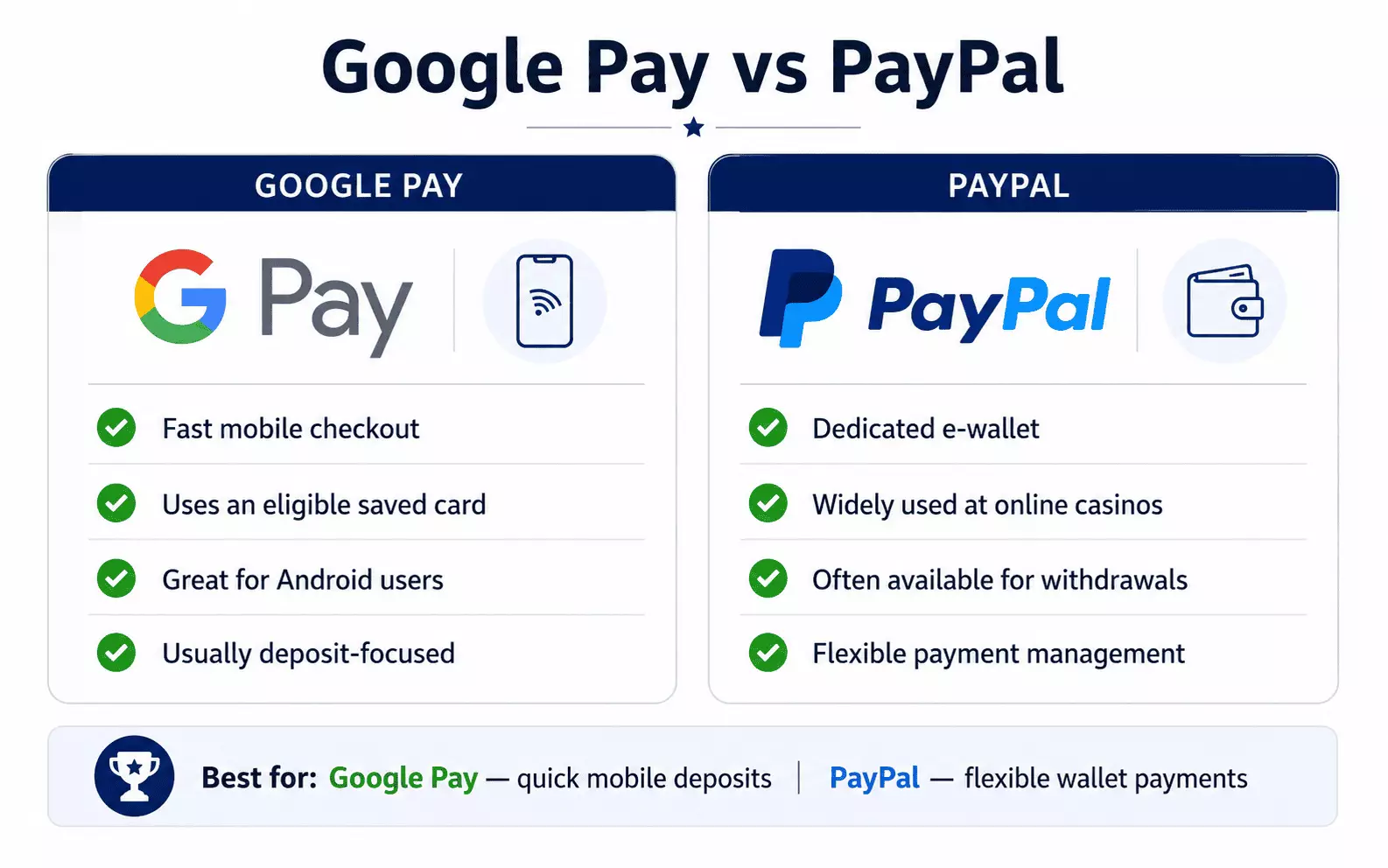
Google Pay and PayPal both make online payments more convenient, but they operate differently.
Google Pay primarily lets users pay using eligible payment methods already stored with Google. PayPal operates as an e-wallet account and allows users to add payment methods to its Wallet.
This means Google Pay may be more convenient if you simply want a quick checkout using an existing card. PayPal can be more flexible at casinos that support it for both deposits and withdrawals.
PayPal's gambling services are also restricted to merchants that PayPal has approved for gambling transactions.
Best for:
- Google Pay: Quick payments using an eligible saved card
- PayPal: Flexible e-wallet deposits and withdrawals
Google Pay vs Apple Pay
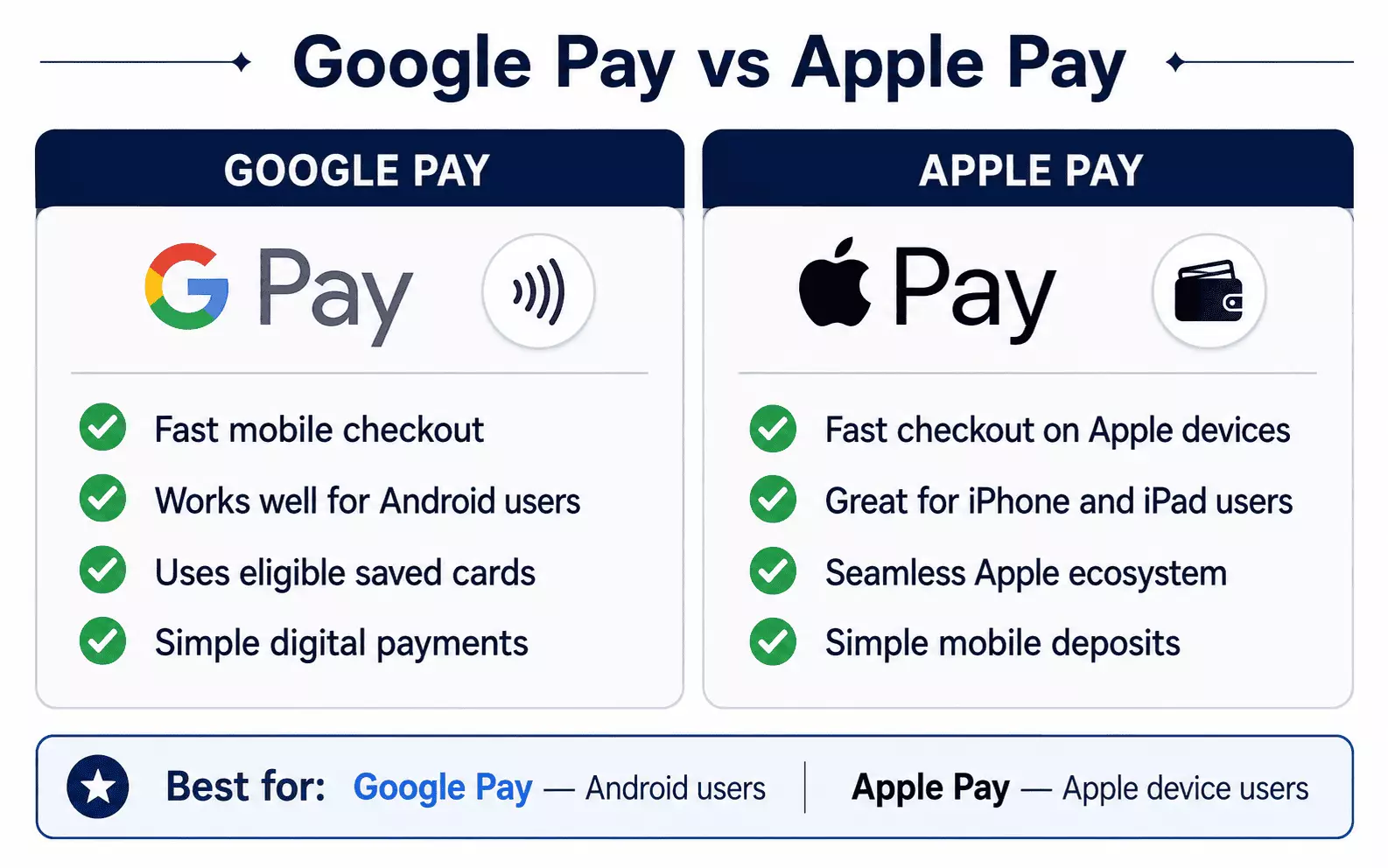
Google Pay and Apple Pay are closely comparable because both allow users to make digital payments using cards stored on compatible devices.
The biggest difference is usually the device ecosystem. Google Wallet is primarily associated with Android devices, while Apple Pay works across supported Apple products such as the iPhone, Apple Watch, iPad and Mac.
For casino players, the better choice will often depend on the device they already use.
Best for:
- Google Pay: Android and Google Wallet users
- Apple Pay: iPhone and other Apple device users
Google Pay vs Bank Transfer
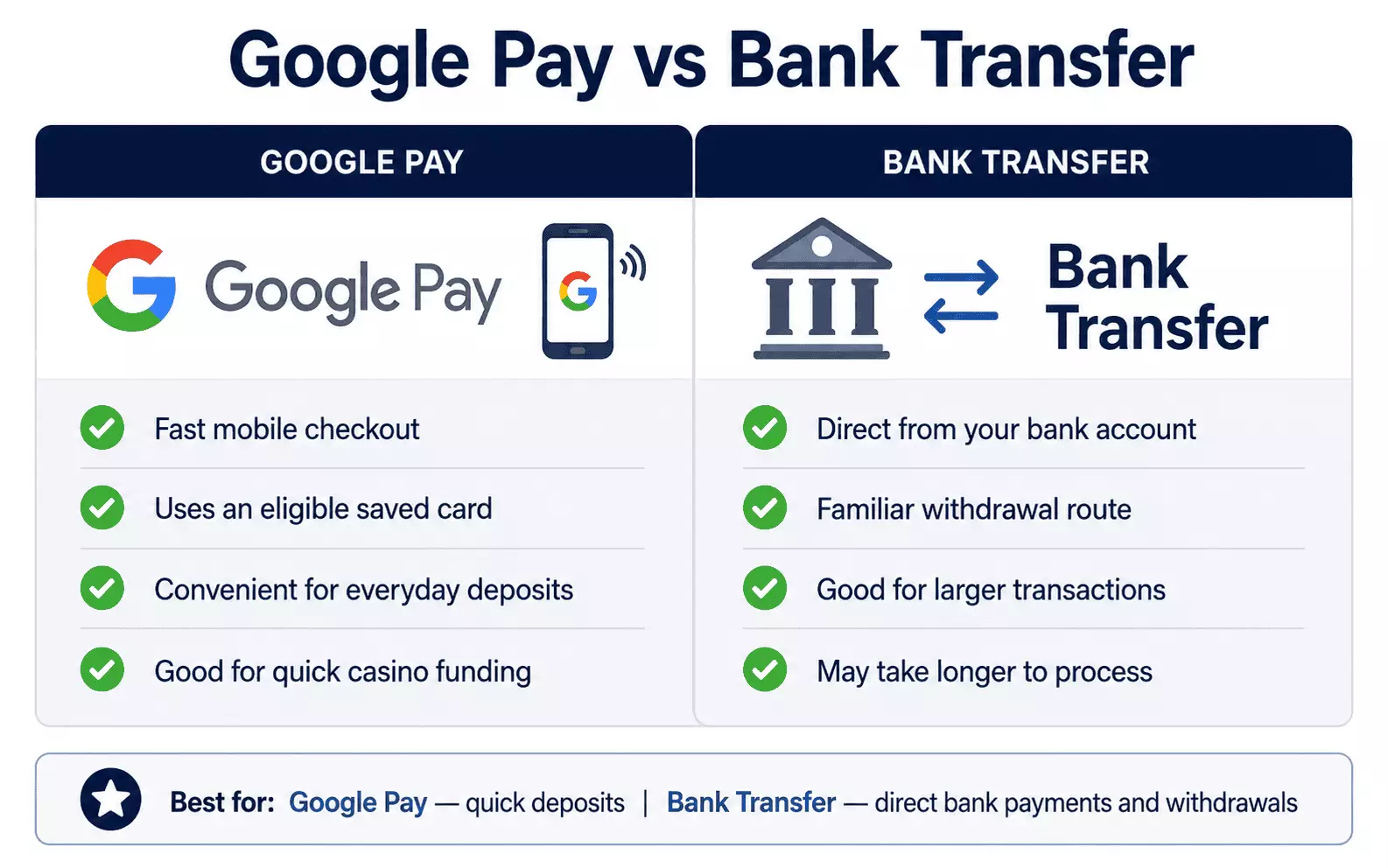
Google Pay provides a quicker card-based checkout experience, while a bank transfer moves funds directly from a bank account.
Bank-based payments can be useful for players who do not want to rely on a digital wallet or stored card. The UK is also increasingly using account-to-account and Open Banking payments, which allow consumers to make payments directly from their bank accounts.
Google Pay may be more convenient for frequent mobile deposits, while bank transfer can be particularly useful as a withdrawal option.
Best for:
- Google Pay: Fast mobile checkout
- Bank transfer: Direct bank-based payments and withdrawals
Google Pay vs SOFORT
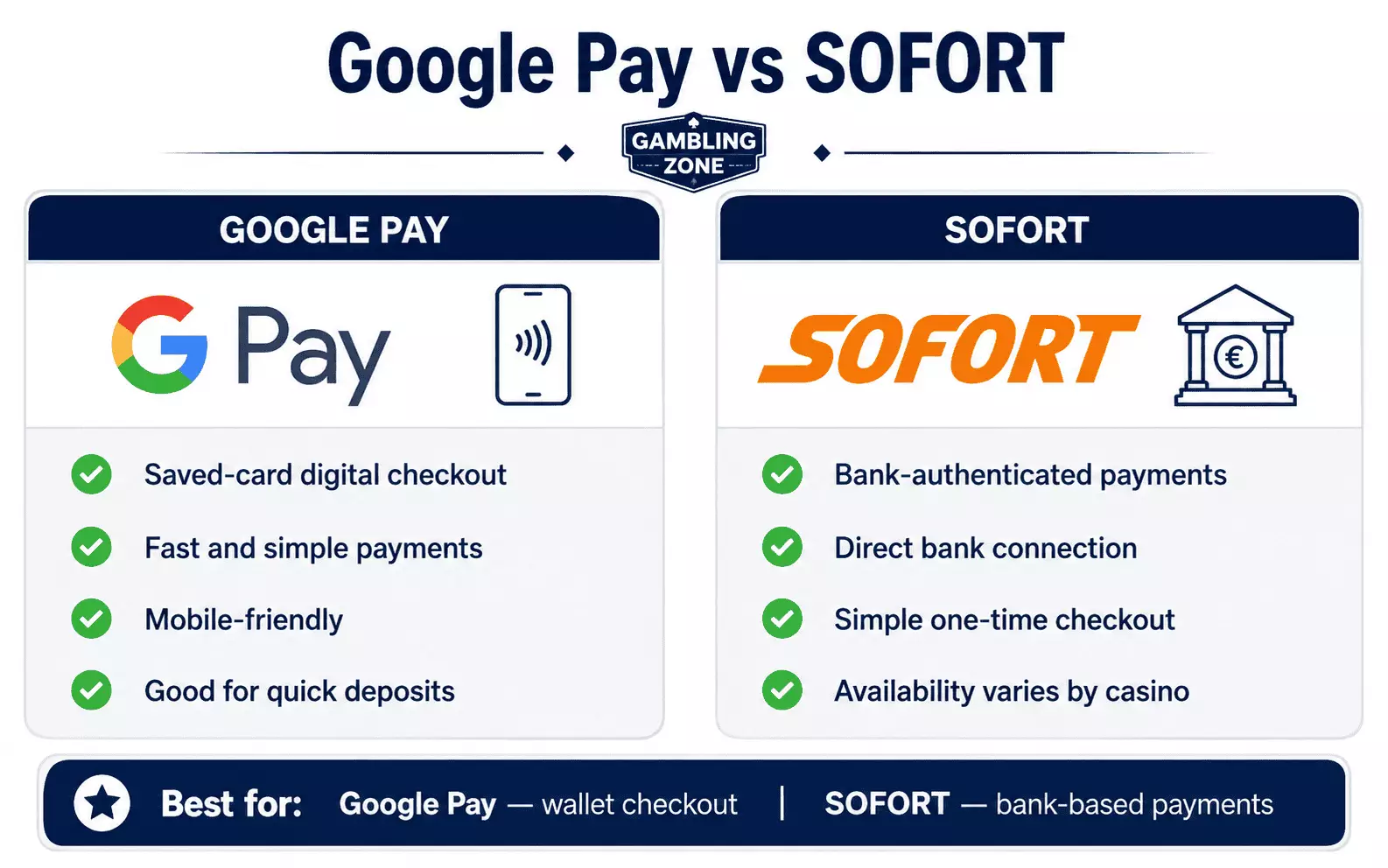
Google Pay uses an eligible saved payment method, while SOFORT has historically been associated with bank-authenticated payments rather than a digital wallet.
The key difference is therefore the payment route: Google Pay focuses on convenient wallet-based checkout, while SOFORT-style payments rely more directly on the user's banking relationship.
SOFORT is now associated with Klarna, whose UK offering has evolved significantly and includes several payment products. Availability of SOFORT itself can therefore vary considerably by casino and market. Players should only consider it where the operator currently displays it as an available payment method.
Credit or buy-now-pay-later services should not be used as a workaround for gambling deposits because UK gambling operators cannot accept credit-funded gambling payments.
Best for:
- Google Pay: Saved-card digital checkout
- SOFORT: Bank-authenticated payments where currently supported
Google Pay vs Skrill
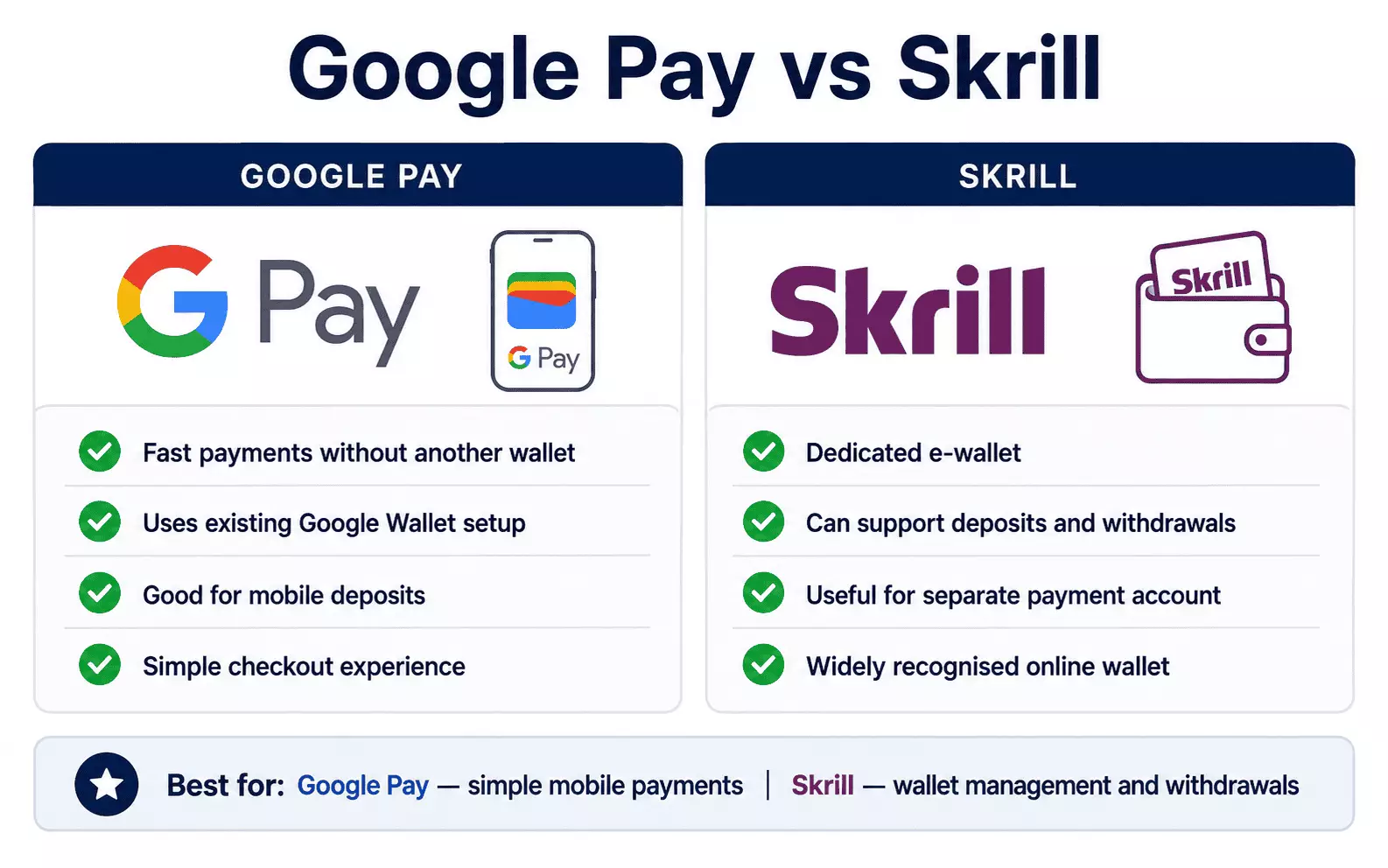
Google Pay and Skrill provide different types of payment experience.
Google Pay generally uses a supported payment method stored in Google Wallet. Skrill operates as a dedicated e-wallet with its own account, allowing users to manage money separately from the casino checkout.
This can make Google Pay simpler for players who do not want another payment account, while Skrill may offer more flexibility where a casino allows both Skrill deposits and withdrawals.
UK gambling operators must also ensure that e-wallet payments such as Skrill are not funded using credit cards.
Best for:
- Google Pay: Simple payments without maintaining another e-wallet
- Skrill: Dedicated e-wallet management and potential withdrawal support
Which Casino Payment Method Should You Choose?
Google Pay can be a strong choice if you already use Google Wallet and want a straightforward way to deposit without repeatedly entering your card details. Google supports online and in-app payments wherever the merchant provides Google Pay as a payment option.
However, another payment method may be more suitable depending on what matters most to you:
- Choose PayPal if you want a separate e-wallet that may support both deposits and withdrawals.
- Choose Apple Pay if you mainly use an iPhone or another compatible Apple device.
- Choose bank transfer if you prefer payments directly through your bank and a familiar withdrawal route.
- Choose SOFORT where bank-authenticated payments are currently supported by the casino.
- Choose Skrill if you prefer managing casino transactions through a separate e-wallet.
Payment availability, transaction limits, bonus eligibility and withdrawal support can vary between casino operators, so always check the cashier before depositing.
Google Pay Payment Method: Final Thoughts
Google Pay is a convenient option for UK casino players who already use Google Wallet and prefer a quick mobile-friendly checkout. Instead of entering card information manually for every transaction, players can use an eligible payment method already stored in their Google account when the casino supports Google Pay.
Its main limitation is that deposit support does not necessarily mean direct withdrawal support. Some casinos may require winnings to be returned to the underlying card or another verified payment method.
Google Pay is therefore particularly useful for players who prioritise fast deposits and convenient mobile payments, while PayPal, Skrill or bank transfer may provide more straightforward options when withdrawals are a priority.
And, as with every UK casino payment method, a credit card cannot be used to fund gambling through Google Pay. The Gambling Commission explicitly includes smartphone payments such as Google Pay within the credit card prohibition.


