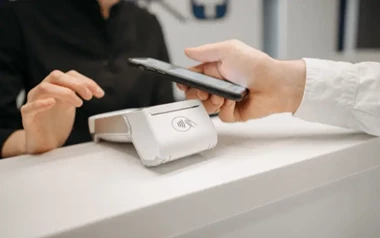





When you use Apple Pay to make a payment at a casino, the transaction normally requires authentication before it can be completed. On compatible Apple devices, that authentication can involve Face ID, Touch ID, or a passcode, depending on the device and settings.
Face ID and a passcode serve the same basic purpose: confirming that you are authorised to approve the Apple Pay transaction. The difference is how you prove your identity.
For casino payments, this means an Apple Pay transaction is not simply approved because a card is stored in your Wallet. The payment still goes through Apple's authentication process before it can be authorised.
How Face ID Approves an Apple Pay Payment
Face ID uses facial recognition to authenticate supported Apple Pay transactions on compatible iPhone and iPad models.
When Face ID is required, you typically look at your device so it can verify your face. Once authentication is successful, the Apple Pay transaction can proceed to the next stage.
Face ID Is Convenient for Regular Payments
The main advantage of Face ID is that authentication can be completed without manually entering a passcode for every transaction.
For someone who frequently uses Apple Pay, this can make the payment process straightforward. However, convenience should not be confused with an automatic approval. Face ID still requires the user's authentication before the payment is authorised.
Face ID can also require a passcode in certain circumstances, such as after restarting the device or when Apple's security rules require passcode authentication.
How a Passcode Approves an Apple Pay Payment

How a Passcode Approves an Apple Pay Payment
A device passcode provides another way to authenticate an Apple Pay transaction.
If Face ID is unavailable or cannot be used, the device may require the passcode instead. This can happen for security reasons or because of the device's current authentication state.
The passcode is therefore not a separate payment method. It is an alternative way of confirming that the person using the device is authorised to approve the Apple Pay transaction.
Face ID vs Passcode for Apple Pay Casino Payments
The two methods have the same broad purpose but provide different user experiences.
|
Feature |
Face ID |
Passcode |
|
Authentication method |
Facial recognition |
Numeric device code |
|
Requires looking at device |
Usually |
No |
|
Useful when Face ID is unavailable |
No |
Yes |
|
Can be required by device security rules |
Yes, with passcode fallback |
Yes |
|
Used to authorise Apple Pay |
Yes |
Yes |
Neither method makes a casino payment more likely to be accepted. They simply provide the authentication required before Apple Pay can submit the transaction for processing.
Does Face ID or a Passcode Approve the Casino Payment?
Not by itself. Face ID or a passcode confirms your authorisation to use Apple Pay. The payment must still be processed and authorised through the relevant payment network, card issuer and merchant.
This distinction matters because successful device authentication does not necessarily mean that a casino deposit will be completed.
A payment could still be declined because of factors such as:
- The card issuer declining the transaction
- Merchant or payment-method restrictions
- Insufficient available funds
- Casino payment rules
- Regional or regulatory restrictions
- Technical problems during processing
In other words, authentication and payment approval are separate steps.
What Happens If Face ID Fails?

What Happens If Face ID Fails
If Face ID does not recognise you, you may be given another opportunity to authenticate. Depending on the circumstances, the device can require the passcode instead.
For an Apple Pay casino payment, this means a failed Face ID scan does not necessarily mean the transaction itself has been declined. It may simply mean that another authentication method is required.
If the transaction ultimately cannot be authenticated, the Apple Pay payment cannot proceed.
What Should You Check Before Making an Apple Pay Casino Payment?
Before depositing, check that Apple Pay is actually supported by the casino and that your card issuer permits the transaction.
It is also useful to understand the casino's deposit limits, withdrawal rules and any applicable verification requirements. Payment methods can have different restrictions for deposits and withdrawals, so Apple Pay availability for one part of the process does not necessarily mean it will be available for every transaction.
Most importantly, treat Apple Pay as a payment tool rather than a reason to increase your gambling budget. Set a spending limit before playing and only use money you can afford to lose.
Frequently Asked Questions
Does Apple Pay require Face ID for casino payments?
Not always. Depending on your Apple device and its security settings, you may authenticate an Apple Pay payment using Face ID, Touch ID or your device passcode.
Can I use a passcode instead of Face ID for Apple Pay?
Yes. A passcode can be used when Apple Pay requires passcode authentication or when biometric authentication is unavailable.
Does Face ID mean my casino payment is automatically approved?
No. Face ID confirms that you have authorised the Apple Pay transaction. The payment must still be processed and approved by the relevant payment providers and card issuer.
Why is Apple Pay asking for my passcode?
Apple devices can require a passcode under certain security conditions, such as after a device restart or when Apple's security requirements call for it. Your passcode is an alternative authentication method to Face ID.