


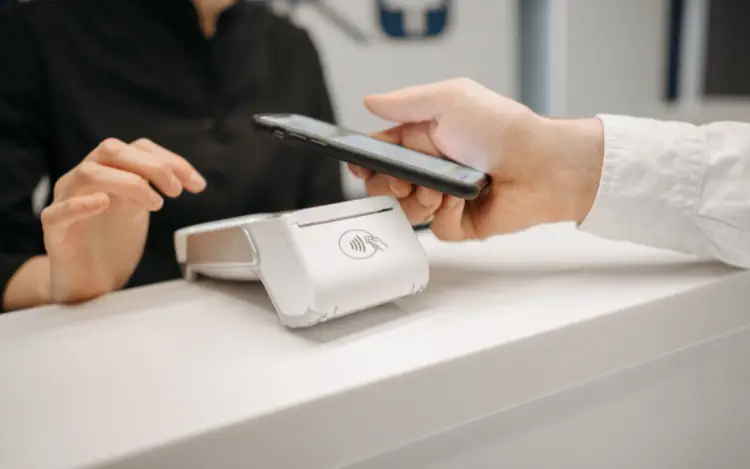

Apple Pay can provide a convenient way to make casino deposits from an iPhone or other compatible Apple device. However, whether a payment works depends on three things: whether your bank supports Apple Pay, whether your specific card can be added to Apple Wallet, and whether the casino accepts Apple Pay for deposits.
Major UK banking groups and card issuers support Apple Pay, including Barclays, Bank of Scotland, Bank of Ireland, Chase, HSBC, Lloyds, NatWest and Santander. Apple also lists many other UK issuers, although support can vary between individual cards.
For casino payments, there is an additional requirement. The casino must accept Apple Pay, and its payment processor must support the relevant card and payment network. Apple states that merchants must accept both Apple Pay and the applicable payment card and network for a transaction to work.
Which UK Bank Cards Support Apple Pay?
Apple Pay supports cards from a wide range of UK banks and financial providers. The list is extensive and includes both traditional high-street banks and newer financial services.
Some of the major UK names listed by Apple include:
- Barclays and Barclaycard
- Bank of Scotland
- Bank of Ireland
- Chase
- Citibank
- Halifax
- HSBC
- Lloyds
- NatWest
- Royal Bank of Scotland
- Santander
- Nationwide
- TSB
- Virgin Money
Apple's current UK list also includes providers such as American Express, Revolut, Monzo, Starling Bank and Wise.
Can You Use Apple Pay to Deposit at a UK Online Casino?

Can You Use Apple Pay to Deposit at a UK Online Casino
Yes, some UK online casinos accept Apple Pay as a deposit method. However, Apple Pay support is not universal across casino operators.
A casino needs to offer Apple Pay through its payment system before you can use it. Current UK casino guides list Apple Pay among the payment methods available at some UK Gambling Commission-licensed operators.
When checking a casino, look at the cashier or payments section rather than assuming that Apple Pay will be available simply because your bank card supports it.
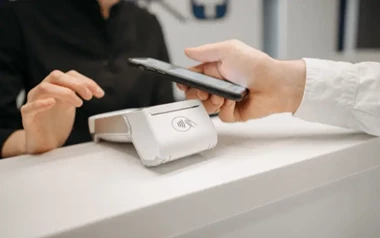
The process normally involves selecting Apple Pay at the cashier, choosing an eligible card from your Apple Wallet and authenticating the transaction using the security method enabled on your device.
How Apple Pay Casino Payments Work
Using Apple Pay for a casino deposit is generally straightforward.
1. Check Your Card Supports Apple Pay
First, make sure your debit or credit card can be added to Apple Wallet. Apple recommends contacting your bank or card issuer if you are unsure whether your particular card is supported.
2. Check the Casino Accepts Apple Pay
Go to the casino's banking or cashier section and look for the Apple Pay logo or payment option. Payment methods can differ between operators, so always check the available options on the casino you intend to use.
3. Select Apple Pay at the Cashier
Enter the deposit amount and select Apple Pay where available. You should then be prompted to authenticate the payment through your Apple device.
4. Check the Transaction
Apple Pay allows you to review transaction information through the Wallet app. Apple also recommends contacting your bank or card issuer if you have questions about a particular charge.
How to Check Whether Your UK Bank Card Works

How to Check Whether Your UK Bank Card Works
The quickest way to establish whether your card is compatible is to check Apple's current list of participating UK banks and card issuers, then confirm that your specific card can be added to Apple Wallet. Apple recommends contacting your issuer if you need confirmation about a particular card.
Next, check the casino's payment page. Even if your card works with Apple Pay, the casino must also support Apple Pay and the relevant card network.
This two-step check can prevent unnecessary payment failures and makes it easier to identify where a problem is occurring.
Frequently Asked Questions About Apple Pay Casino Payments
Can I use a Barclays card with Apple Pay at an online casino?
Barclays and Barclaycard are included in Apple's list of UK Apple Pay participating issuers. However, whether a particular Barclays card can be used for a casino deposit depends on the card, the bank's policies and whether the casino accepts Apple Pay.
Does Apple Pay work with HSBC cards?
HSBC is listed among Apple's participating UK issuers. Individual cards can have different eligibility requirements, so check your card's compatibility before making a casino deposit.
Can I use a Monzo or Revolut card with Apple Pay?
Apple's UK participating list includes both Monzo and Revolut. As with other issuers, you need to check that your specific card is eligible and that the casino accepts Apple Pay for deposits.
Does Apple Pay guarantee that a casino payment will go through?
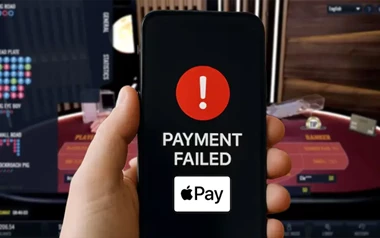
No. Apple Pay compatibility, bank approval and casino payment support are separate requirements. A card can work with Apple Pay for normal purchases but still be declined for a particular gambling transaction.
Can I withdraw casino winnings to Apple Pay?
This depends on the casino and its payment provider. Deposit and withdrawal options are not necessarily identical, so check the operator's cashier and payment terms before depositing.